

Reliable Local and Cloud Windows Server Backup
Protect your business-critical data the right way while meeting your specific backup and recovery requirements with the NovaBACKUP Server Agent.
Combine your choice of local backup storage with our secure NovaBACKUP Cloud or any S3-compatible cloud storage for a comprehensive Windows Server, Hyper-V, and VMware backup strategy. Leverage file and image backup mechanisms for full, differential, and incremental backups that run on a set schedule. Plus, receive automatic email notifications of your backup jobs.
And to top it all off, our team of backup experts can help you quickly restore your critical data and reduce downtime in the event of a disaster.

Streamline Your Server File Backup
NovaBACKUP Server Agent reliably backs up or copies all your critical business files to quickly recover from any data loss scenario. Define a backup strategy that meets your recovery demands by scheduling your backups weekly, daily, or hourly at a time that best suits your infrastructure and business hours. Smart mechanisms ensure that your data is secured even if the backup is interrupted.
Operational in Minutes With Disaster Recovery
Restore access to your Windows servers and ensure that critical business functions are up and running as quickly as possible. With NovaBACKUP's image-level backup, you can streamline your disaster recovery efforts by creating a mirror image of your production machine. Minimize data loss by restoring your files and folders on your Windows Server hardware or mount it as a virtual machine.
Local Backup and Cloud Storage Always Included
Your choice of local storage combined with our secure, always-included NovaBACKUP Cloud provides a complete backup strategy that satisfies most regulatory requirements. End-to-end 256-bit AES encrypted local and offsite backups protect your data from unauthorized access - and all is managed from the same interface.
Protect Your Virtual Environment at No Extra Cost
No matter how many virtual machines are running on your Hyper-V or VMware host, you can easily protect them all with NovaBACKUP. By taking live snapshots of the virtual machines running on your hypervisor, you'll be able to spin up a new virtual machine in minutes in case your virtual environment becomes compromised. Learn more here.
Back Up Your Applications and Databases
Perform application-consistent backup and recovery of Microsoft Exchange, Microsoft SQL, and other SQL-based databases, such as practice management systems or medical imaging databases, without disrupting business operations. Learn more here.
Powered by the Most Advanced Backup Engine Available
NovaBACKUP's backup engine leverages the latest streaming technologies and compression algorithms to speed up the backup and restore of server files and systems to and from their backup destination - whether it's a NAS or your cloud backup storage - resulting in a backup strategy that addresses all of your backup and recovery demands.
Why Choose NovaBACKUP for the Protection of Your Server?
Physical and Virtual Server Backup and Recovery
Fast, reliable, and all-inclusive data protection for physical servers and virtual machines that offers support for Hyper-V and VMware.
Protects Your Files, Applications, and Databases
Easily protect all your files, applications, and databases, including Microsoft SQL and Microsoft Exchange, with a single backup and recovery solution.
With the Best Support in the Industry
Our support team, based in the USA and Germany, has an average tenure of >10 years. They'll work closely with you to resolve your questions. And setup assistance is always included.
Installation Made Easy
Our team of backup experts is here to help you protect your data from day one. We'll assist you with the installation of your NovaBACKUP Server Agent, help you set up your first backup job, and give you a walk-through of the solution to help you get started.
Simply schedule an appointment and leave the installation and backup configuration to us. Installation and setup assistance is always included.
Automate Your Server Backup
Ensure a reliable backup strategy by automatically backing up your files, systems, and virtual machines.
Define the importance of all your business data and meet your business needs by choosing
- What you want to back up (files, image, copy).
- How you want to back up (full, incremental, or differential).
- How often you need to back up (hourly, daily, weekly, monthly).
You can also add a holiday schedule or run any scheduled job on demand as needed.
Security & Backup Handling
Protect your local and offsite backups from unauthorized access with AES 256-bit encryption during transit and at rest.
Worried about the size of your backup files? No problem, our backups are compressed by default.
You can choose how you want to handle your backup files. Overwrite an existing backup to save storage space or append a date- and time-stamped backup to keep multiple backup variations.
Select from Local or Cloud Storage Options
For local storage, you can choose from NAS, external hard drives, USB/Flash drives, RDX, and hardware Raid configurations.
For cloud storage, our secure NovaBACKUP Cloud is always included, starting at 250GB. You can also target any S3-compliant storage.
Stay On Top of Your Backups
Receive helpful reports when your file backup and copy jobs are complete. Customize your notifications to receive emails only when an error occurred or at any time after a backup job is finished.
Add scheduled summaries to easily manage multiple backup jobs. Quickly see an overview of all your backups on a daily, weekly, or monthly basis.
And with the optional NovaBACKUP Central Management, you can set up and update all backup jobs on the fly, be alerted to any issues, and see the details of your backup jobs at a glance from a single dashboard accessible from anywhere online.
NovaBACKUP Server Agent Features
Always included with your license.
Local + Cloud Storage
Supports Multiple Backup Methods
Back Up Your Server Files
Image Backup for Disaster Recovery
Recover from data loss with an exact replica of the previous system, including operating system and applications.
System State Backups
Include server system state components such as boot files, Active Directory, and Windows Registry in file server backup jobs.
Protect Applications and Databases
Back Up Unlimited Virtual Machines
Convert VMs to Servers and Vice Versa
Migrate a virtual machine to a physical server or mount a VHD(x) of a physical server as a virtual machine in a matter of minutes.
Single File Restore
Recover individual files and folders from any of your protected physical servers or virtual machines.
Secure Your Backup
Use AES 128-bit, AES 192-bit, AES 256-bit, or Blowfish encryption to continuously protect your backup files on local, cloud, and other offsite storage.
Improve Backup Storage Utilization
Flexible Backup Management
Replace an existing backup file with the same name for efficient storage usage or add a date/time stamp to ensure multiple versions are always available.
Achieve Compliance
Reports and Notifications
Monitor the health of your backup jobs with flexible reporting and notification options.
Optional Central Management
Add NovaBACKUP Central Management to set up and monitor all of your backup jobs from a single, comprehensive dashboard.
Download a Trial
Need to Backup VMs, Exchange, or SQL?
If you're running VMware or Hyper-V virtual machines or want to protect your Microsoft SQL or Exchange databases, we've got you covered. Use the links below to learn more.
Windows Server Backup Resources

Building a Better Backup Strategy
This guide outlines the key steps to building a comprehensive backup and recovery strategy that will ensure that your data can be recovered in the event of a disaster,
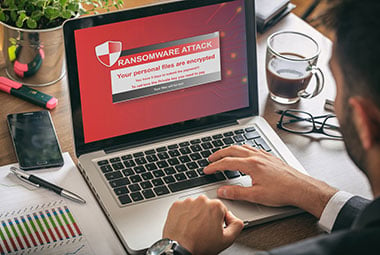
Emergency Response to Ransomware Attack
Ransomware threatens data by encrypting everything within reach and demand a fee in order to decrypt your data. Unfortunately, nobody is immune to a ransomware attack. Find out what you can do.

Windows Server 2012/R2 End of Life
Since October 10, 2023, Windows Server 2012 and 2012 R2 reached the end of their extended support. If you are still running this older version, now is the time to prepare and ensure a smooth transition to a newer Windows Server operating system.

Cybersecurity Threat Prevention
Our backup and data security experts created a preventative data protection checklist to help you prevent becoming a victim of a ransomware attack.

Online Backup Calculator Tool
Planning your backups just got significantly easier. Find out how much time, storage, and budget your backups will require with this online backup calculator tool
Understanding Server Backup
NovaBACKUP Server Agent FAQs
NovaBACKUP Server Agent supports the following Windows operating systems:
- Windows Server 2022
- Windows Server 2019
- Windows Server 2016
- Windows Server 2012 R2
- Windows Server 2012
NovaBACKUP Server Agent supports the following hypervisors:
Microsoft Hyper-V- Microsoft Hyper-V Server 2022
- Microsoft Hyper-V Server 2019
- Microsoft Hyper-V Server 2016
- Microsoft Hyper-V Server 2012 R2
- Microsoft Hyper-V Server 2012
- VMware vSphere 7.x
- VMware vSphere 6.x
- VMware vSphere 5.x
- VMware ESXi 7.x
- VMware ESXi 6.x
- VMware ESXi 5.x
Yes, NovaBACKUP Server Agent supports the following applications:
Microsoft SQL- Microsoft SQL-Server 2019
- Microsoft SQL-Server 2017
- Microsoft SQL-Server 2016 SP2
- Microsoft SQL-Server 2014 SP3
- Microsoft SQL-Server 2012 SP4
- Microsoft Exchange Server 2019
- Microsoft Exchange Server 2016
- Microsoft Exchange Server 2013 SP1
- Microsoft Exchange Server 2010 SP3
For more details on how to add NAS storage as backup storage, please see our Quick Start Guide.
During setup, you can choose between the USA, Canada, and Germany as your cloud storage location. Once you have selected a location, your backup files will be stored only in the selected region.
Yes, NovaBACKUP Server Agent (and any other NovaBACKUP agent) allows you to create an image backup as a VHD(x) file that can then be mounted as a virtual machine to quickly restore an entire server system.
Don't just take our word for it
Read what our customers say about us.